
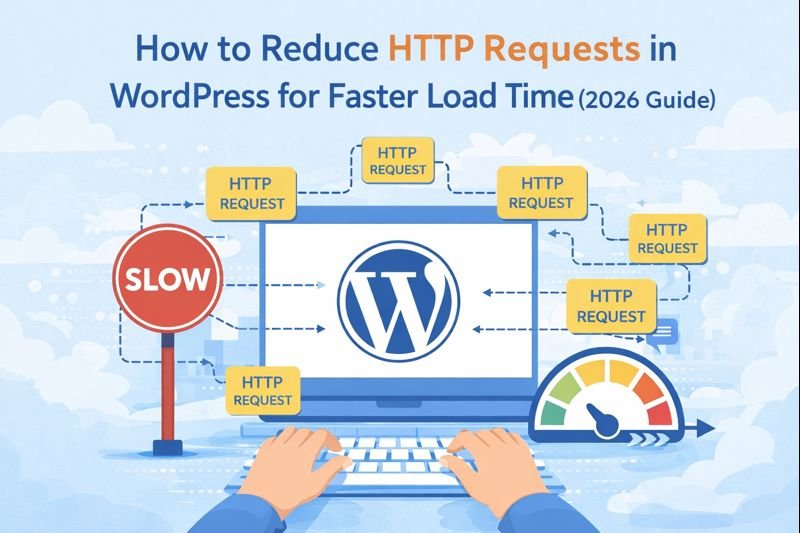
If your WordPress site feels a little slow, one of the biggest reasons could be too many HTTP requests. Now, you might be wondering, “What exactly are HTTP requests?” and “How do they slow down my website?”
This guide is here to break it all down in the simplest way possible. I’ll walk you through what HTTP requests are, why they matter, and how you can easily reduce them without needing to be a tech expert. Ready to speed up your site?
How to Reduce HTTP Requests in WordPress (Simple Steps)
How you can easily reduce HTTP requests on your WordPress site. Here are some simple tips that you can follow today!
Optimize Your Images
Images are huge when it comes to HTTP requests. The bigger your images, the more time it takes for them to load, and the more requests are sent.
- Resize Images: Don’t upload huge images that are larger than they need to be. Resize them before uploading.
- Use the Right Format: Use JPEG or WebP for images, and reserve PNG for images that need a transparent background.
- Compress Images: Use plugins like Smush or ShortPixel to compress images without losing quality.
This will make your site load much faster and reduce the number of requests related to images.
Limit the Number of Plugins
Each plugin you install in WordPress can add extra requests to your website. Some plugins load external files (CSS, JavaScript) that can slow things down.
- Review Your Plugins: Go through your plugins and disable or remove the ones you don’t need. If a plugin isn’t adding value to your site, it’s probably best to remove it.
- Choose Lightweight Plugins: Some plugins are much lighter and faster than others. Look for plugins like Autoptimize or WP Rocket, which focus on speed.
Combine CSS and JavaScript Files
- Use a Caching Plugin: Plugins like WP Rocket or W3 Total Cache can combine multiple CSS and JavaScript files into one file, reducing the number of requests needed to load your page.
Enable Lazy Loading for Images
Lazy loading is a magic trick where images are only loaded when they are about to appear on the screen. This means that images below the fold (the part that you don’t see when you first load the page) won’t take up resources until you scroll down.
- Use Lazy Loading: Most modern WordPress themes support lazy loading, but if yours doesn’t, you can easily add a plugin like a3 Lazy Load.
With lazy loading, your page can load faster because it doesn’t have to request all the images at once.
Use Caching to Reduce Requests
Caching is like a shortcut for your website. When someone visits your site, caching saves a copy of your page so that the server doesn’t have to reload everything every time someone visits.
- Install a Caching Plugin: Use WP Super Cache or W3 Total Cache to cache static files. This means that when users visit your page, they don’t need to send multiple requests to load the same content.
What Are HTTP Requests?
Every time you visit a website, your browser makes a request for things like images, CSS files, JavaScript, and other website elements. These are called HTTP requests.
Think of it like this: When you visit a page, your browser is basically saying, “Hey, I need these files to show you the page!” And each of these requests takes a little bit of time to load.
Now, imagine having too many requests—it’s like sending a lot of little messages between your browser and the server, which can slow down the page load time. The more requests, the slower your site becomes.
we have seo tools try these:
Why Does Reducing HTTP Requests Matter?
- Better User Experience: Nobody likes waiting for a slow website. A faster site keeps your visitors happy and engaged.
- SEO Boost: Google loves fast websites. A quicker site means higher rankings in search results.
- More Conversions: A fast site helps keep visitors around, meaning they’re more likely to take action, like signing up or making a purchase.